Guide to online check-in procedures for airlines 2025
Monday, 9/6/2025, 15:02 (UTC+07:00)
Online check-in is a convenient way for passengers to save time and effort, avoiding having to wait at the airport check-in counter. Online check-in allows you to complete this procedure right from home with just a few simple steps on your phone or computer.
Table of Contents
I. What is online check-in?
Online check-in is a service deployed by airlines to support passengers to proactively check in online without having to go to the check-in counter of each airline at the airport.
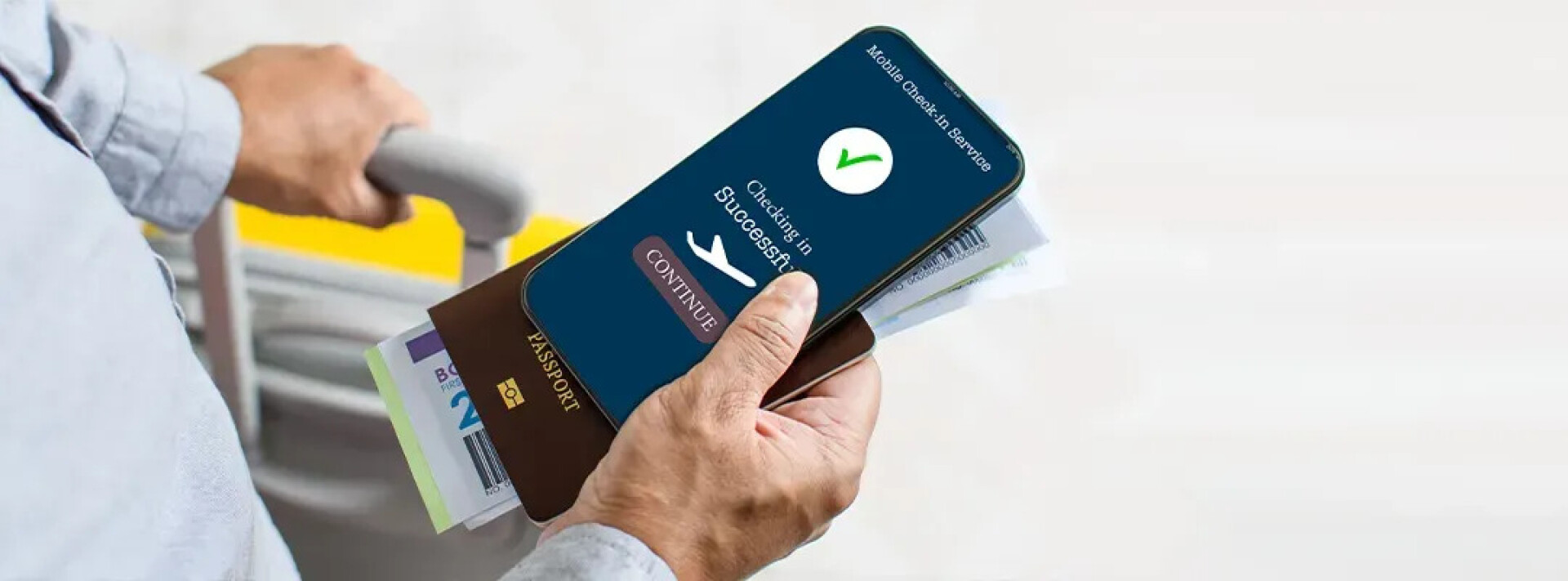
Passengers can check in online in many different ways such as: accessing the airline's website, application and the airline's check-in kiosk. Then, passengers enter the booking code, personal information, choose a seat and save the boarding pass before the flight.
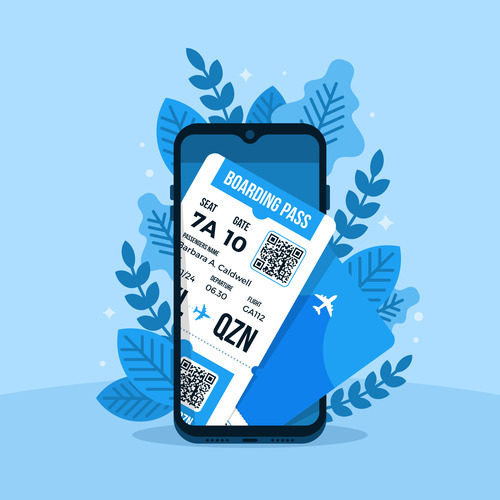
According to the regulations of airlines, passengers must check in for their flight tickets online within 24 hours to 1 hour before the flight.
Cases NOT eligible for online check-in:
- Passengers requesting special services (except special meals).
- Pregnant women.
- Traveling with children under 2 years old.
- Passengers who are denied transportation or deported
- Flights departing from airports that do not support online check-in
- Online check-in too close to flight time (less than 1 hour before flight time).
- International flights of Vietjet Air and Bamboo Airways.
- The number of passengers in the same booking code exceeds the allowed limit (Bamboo Airways).
- The booking code has more than 100 passengers (Vietjet Air).
II. Instructions on how to check-in online for some popular airlines
1. Vietnam Airlines
Vietnam Airlines' online check-in service is available at all domestic airports. In addition, Vietnam Airlines also offers online check-in at some airports in Southeast Asia, Asia, Europe and Australia.
To check-in online with Vietnam Airlines, passengers follow the steps below:
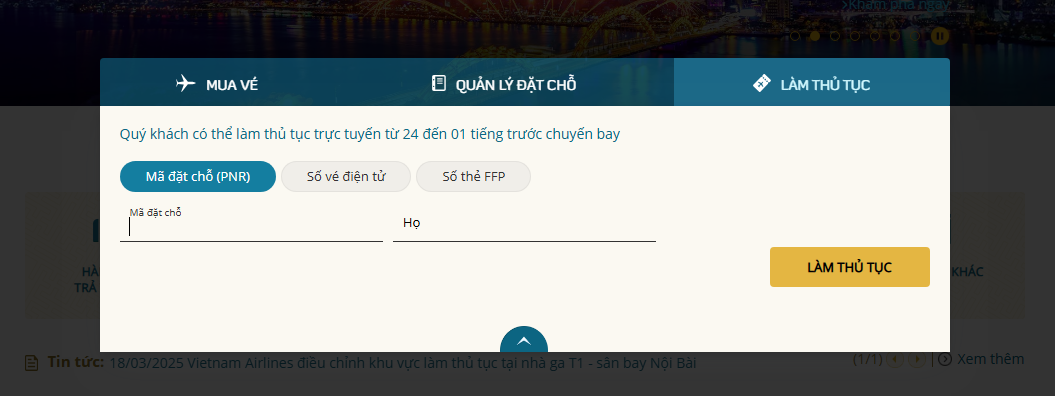
- Step 1: Access the Vietnam Airlines homepage or application. Passengers select “Check-in” and enter the Booking Number (PNR) and Last Name. Click “Check-in”.
 Source: Vietnam Airlines
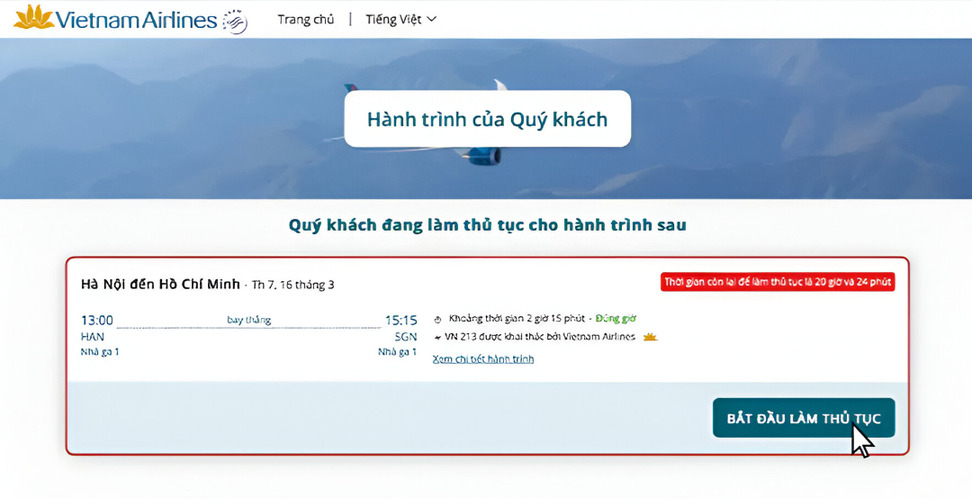
- Step 2: Flight information will be displayed and passengers will check the information again. Then, click “Start Check-in”.
Source: Vietnam Airlines
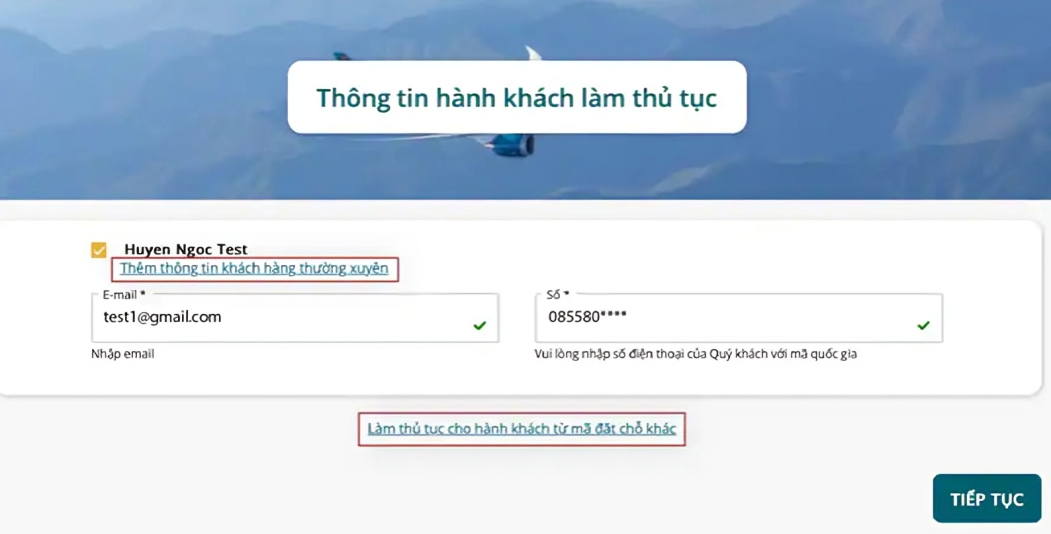
- Step 3: Passenger information will be displayed and passengers will check the information in the booking code again. Passengers can add frequent flyer information or check-in with another booking code (if desired).
 Source: Vietnam Airlines
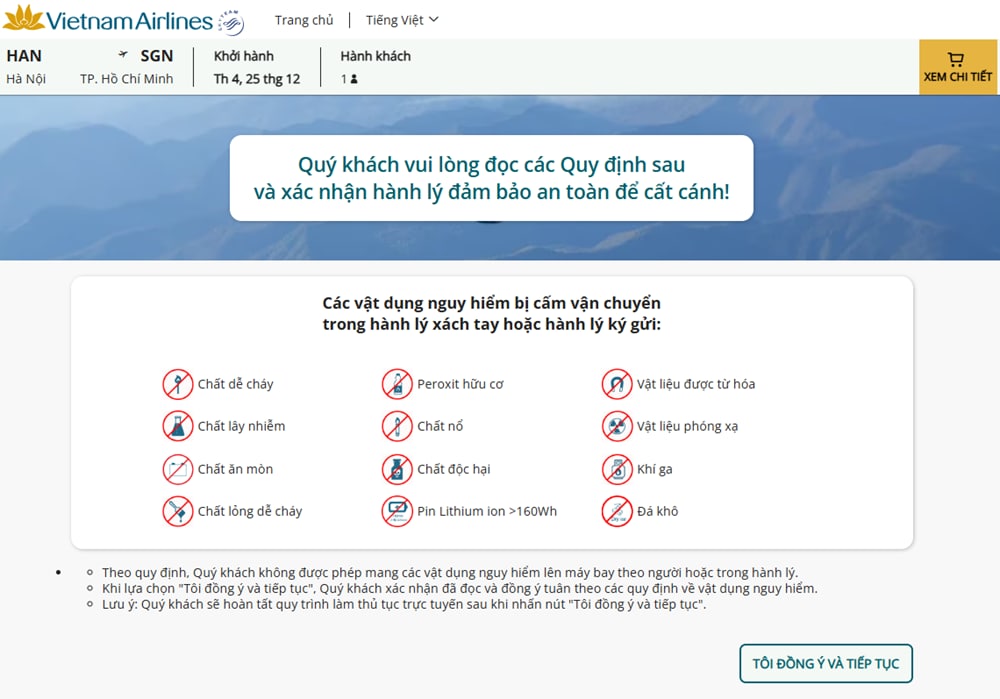
- Step 4: Passengers read and confirm their agreement with the regulations on restricted baggage. At this step, the check-in process is complete.
 Source: Vietnam Airlines
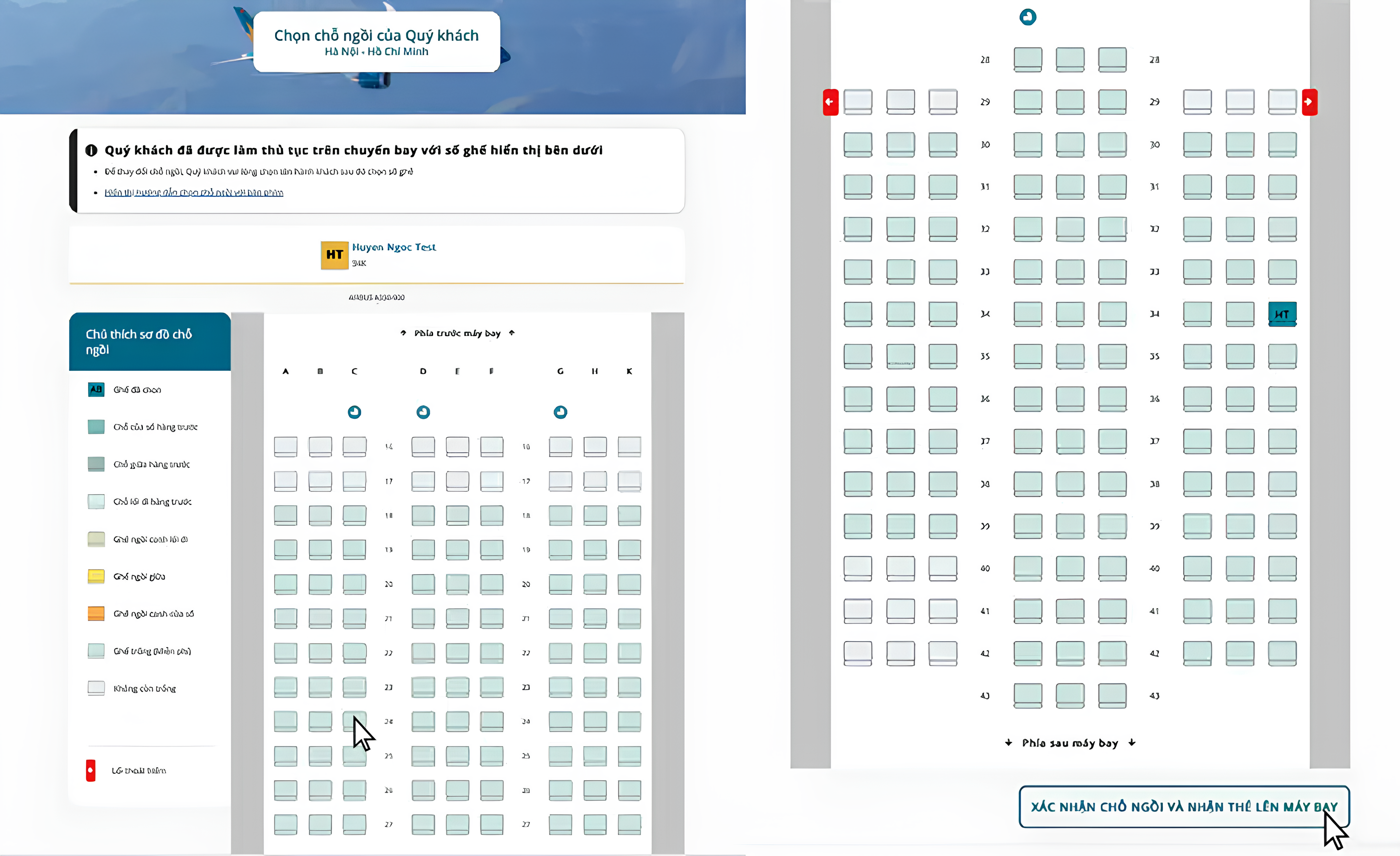
- Step 5: Passengers view the seat map on the plane and proceed to select a seat. After selecting the desired seat, click “Confirm seat and receive boarding pass”.
 Source: Vietnam Airilnes
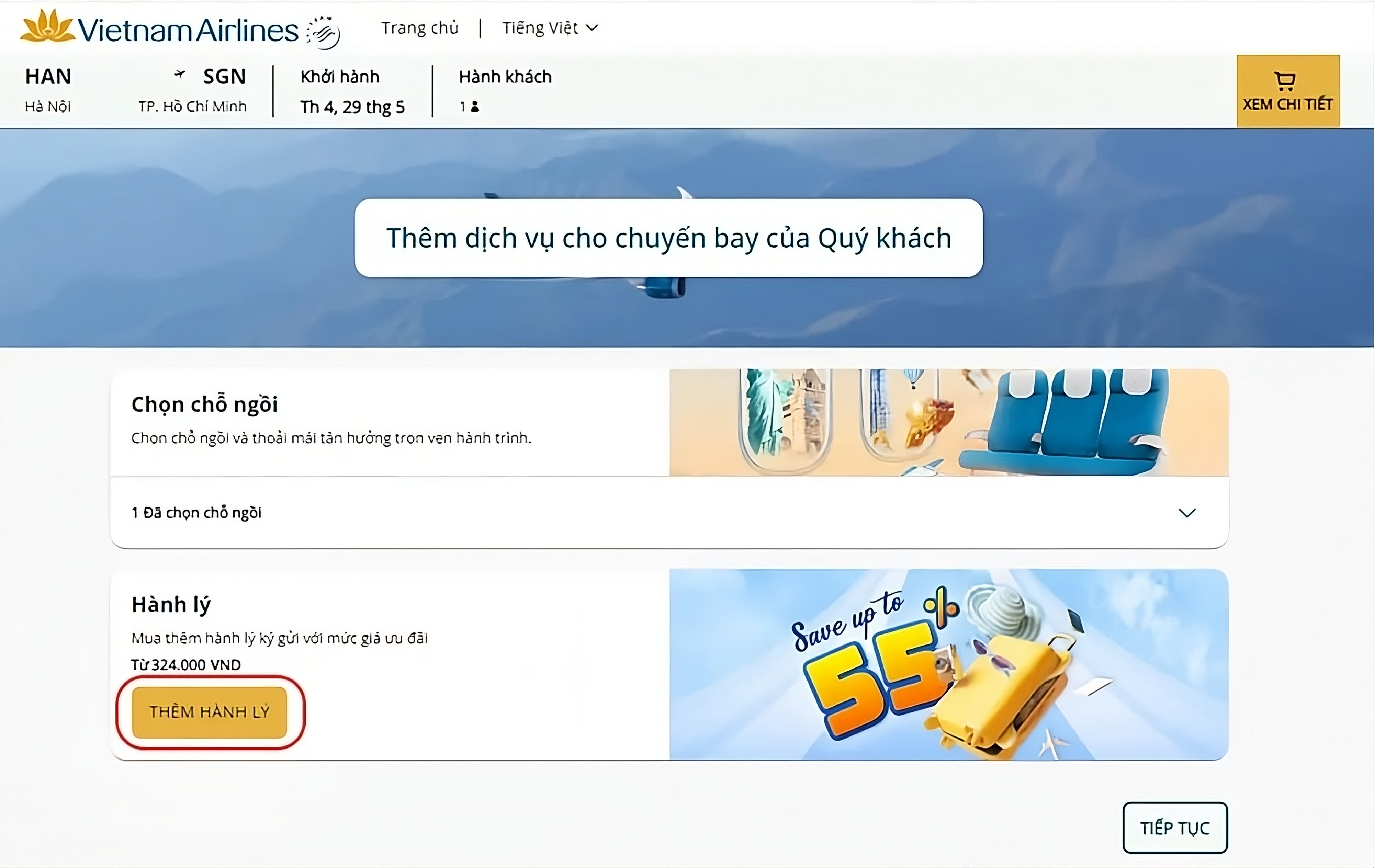
- Step 6: Passengers can purchase additional services as needed, then click "Confirm" and proceed to pay for the selected service.
 Source: Vietnam Airlines
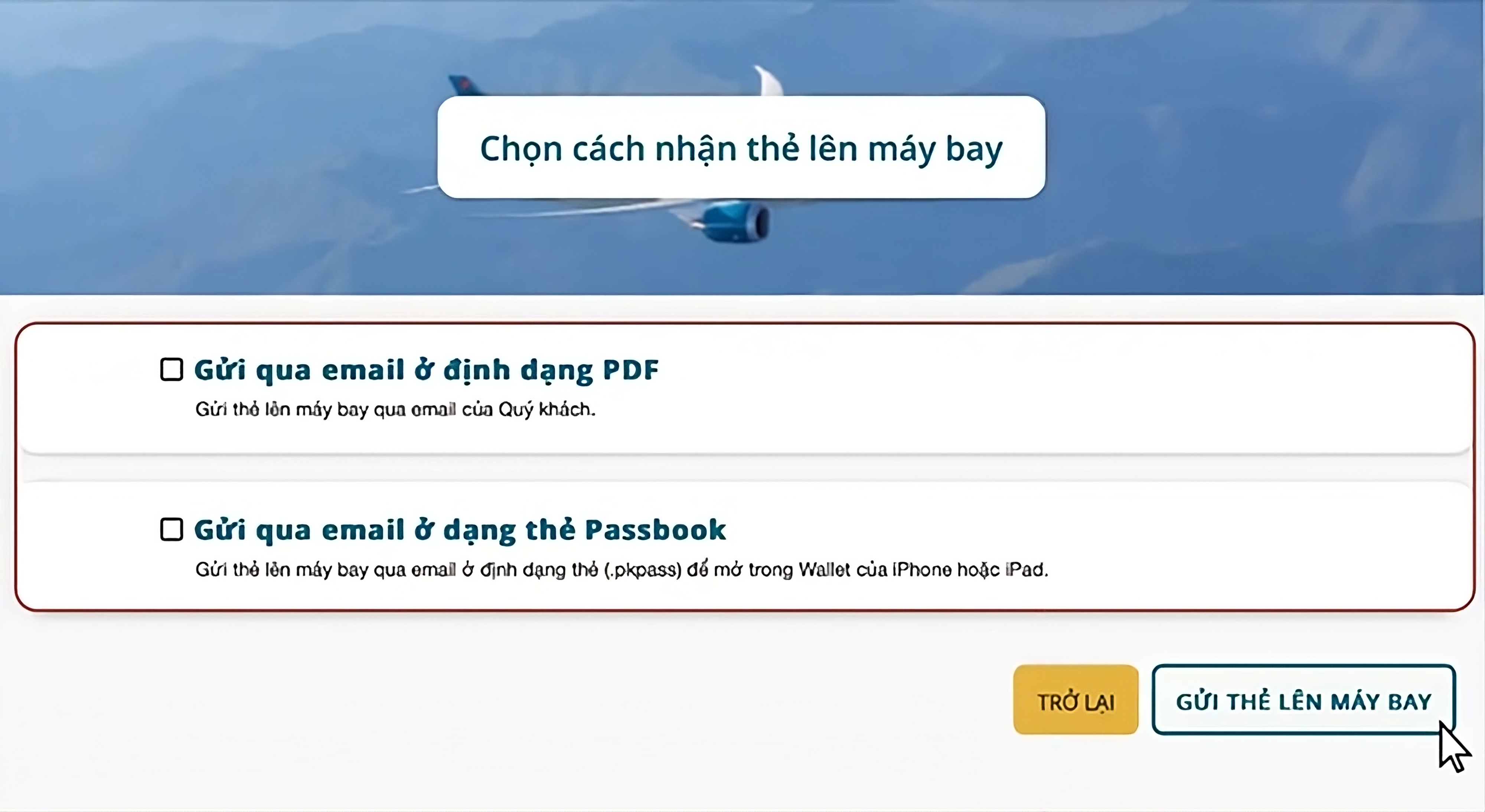
- Step 7: Choose to receive the boarding pass in the "Choose how to receive the boarding pass" window, passengers choose to receive it via registered email in PDF format or as a Passbook card (for use in Wallet on iPhone or iPad).
 Source: Vietnam Airlines
2. Vietjet Air
Vietjet Air's online check-in service is currently available at all domestic airports. For international flights, it applies to flights departing from Thailand, Singapore, Australia, India, Japan, Korea, Malaysia, Indonesia, Hong Kong and Vietnam (including Noi Bai Airport, Tan Son Nhat Airport for flights to Singapore, Kuala Lumpur and Ngurah Rai).
 Source: Vietjet Air
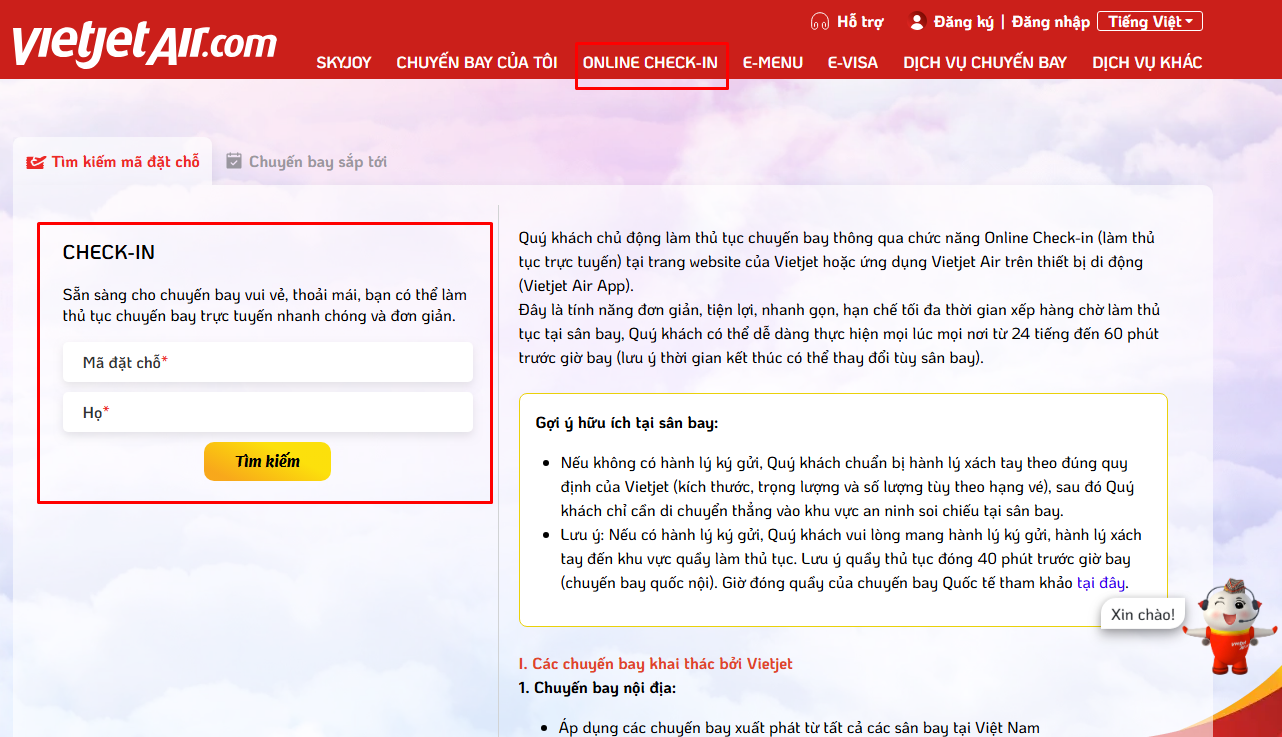
- Step 1: Access the Vietjet Air homepage or application, select "Online Check-in".
- Step 2: Passengers enter flight information including booking code, full name and confirmation code. Then click "Search".
- Step 3: The system will display the passenger's flight information, please check again and confirm. Then click the "Continue" button to move to the next step
- Step 4: The screen will display an image of the aircraft cabin for passengers to choose their desired seat. After selecting the seat, click "Confirm seat" to continue.
- Step 5: Check the seat number in the booking code again. Passengers read and confirm their agreement with Vietjet Air's regulations and recommendations on prohibited goods.
- Step 6: Choose a way to save the boarding pass, including taking a screenshot of the QR code, downloading it to your phone or receiving it via email. Finally, click "Complete" to finish online check-in.
3. Bamboo Airways
Bamboo Airways' online check-in service is only applicable if departing from one of the following airports: Noi Bai - Hanoi, Da Nang, Tan Son Nhat, Cam Ranh, Con Dao.
- Step 1: Access the Bamboo Airways homepage or application, select "Check-in".
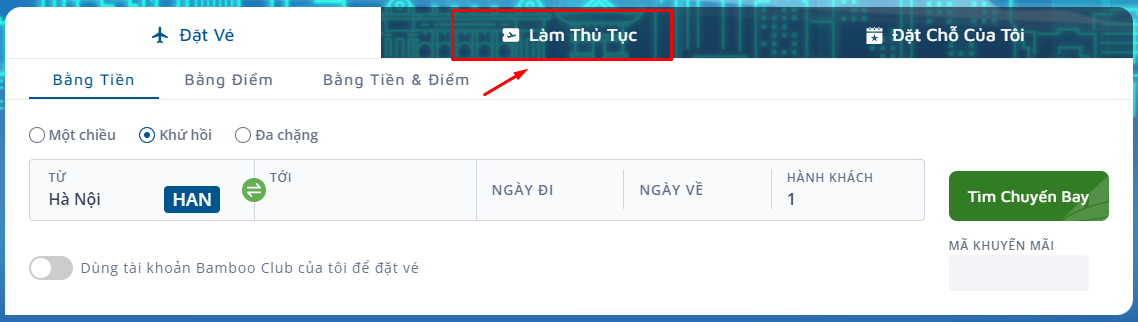 Source: Bamboo Airways
- Step 2: Passengers enter the Booking Code or E-ticket Number and Last Name. Then click "Check-in".
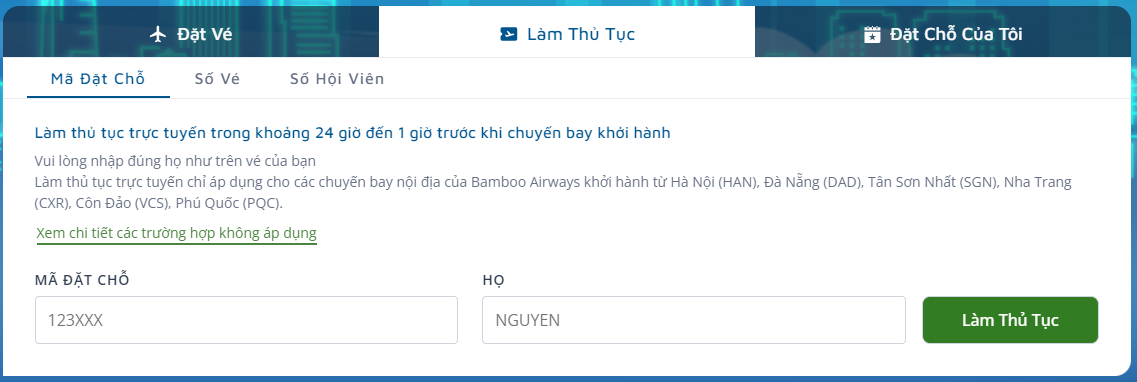 Source: Bamboo Airways
- Step 3: On the Booking Data page, select Passenger Name and choose the flight to check in and then click "Continue".
- Step 4: Passengers read and confirm their agreement to the ICI regulations on passengers and goods.
- Step 5: On the Utilities page, passengers can choose their favorite seat for the flight and proceed to payment. If not, please click "Continue".
- Step 6: When completing the online check-in procedure, the system will display a successful check-in notification. Passengers can choose to print boarding passes for themselves or their companions and send them via email.
III. Some notes when doing online check-in
When checking in online, passengers need to pay attention to some important points to ensure the flight goes smoothly:
- Check your personal information and flight details carefully before completing the procedure. Make sure your full name, flight number, departure time and other information are correct to avoid delays.
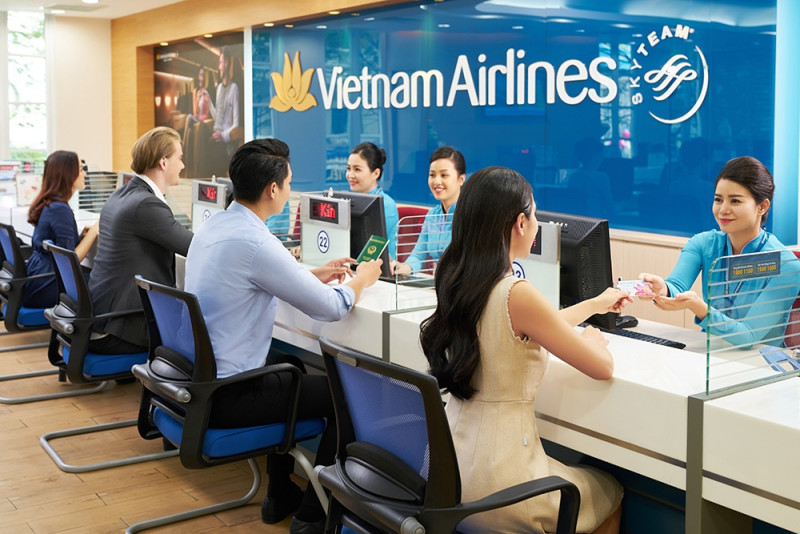
- If you have checked baggage, have it ready to be deposited at the airline's check-in counter at the airport. If you do not have checked baggage, you can go straight to the security area without stopping at the check-in counter.
- Even after checking in online, passengers still need to be present at the airport at least 45 minutes before departure for domestic flights and 60 minutes for international flights to complete the remaining procedures.
- Make sure to bring valid identification documents such as citizen identification, passport or other documents as required by the airline.
Back to category
Share:


Other news in the same category